Framer Templates
Studio-Level Templates.
Ready When You Are.
Our Framer templates are built to save time while maintaining strong visual structure and brand presence.
Purchase, customize, and go live with confidence 💫
5+ /
years of experience
120+ /
clients
200+ /
successful projects
175+ /
positive reviews
5+ /
years of experience
120+ /
clients
200+ /
successful projects
175+ /
positive reviews
5+ /
years of experience
120+ /
clients
200+ /
successful projects
175+ /
positive reviews
Featured templates
Launch Faster. Designed at Studio Level.
{
Portfolio Template
}
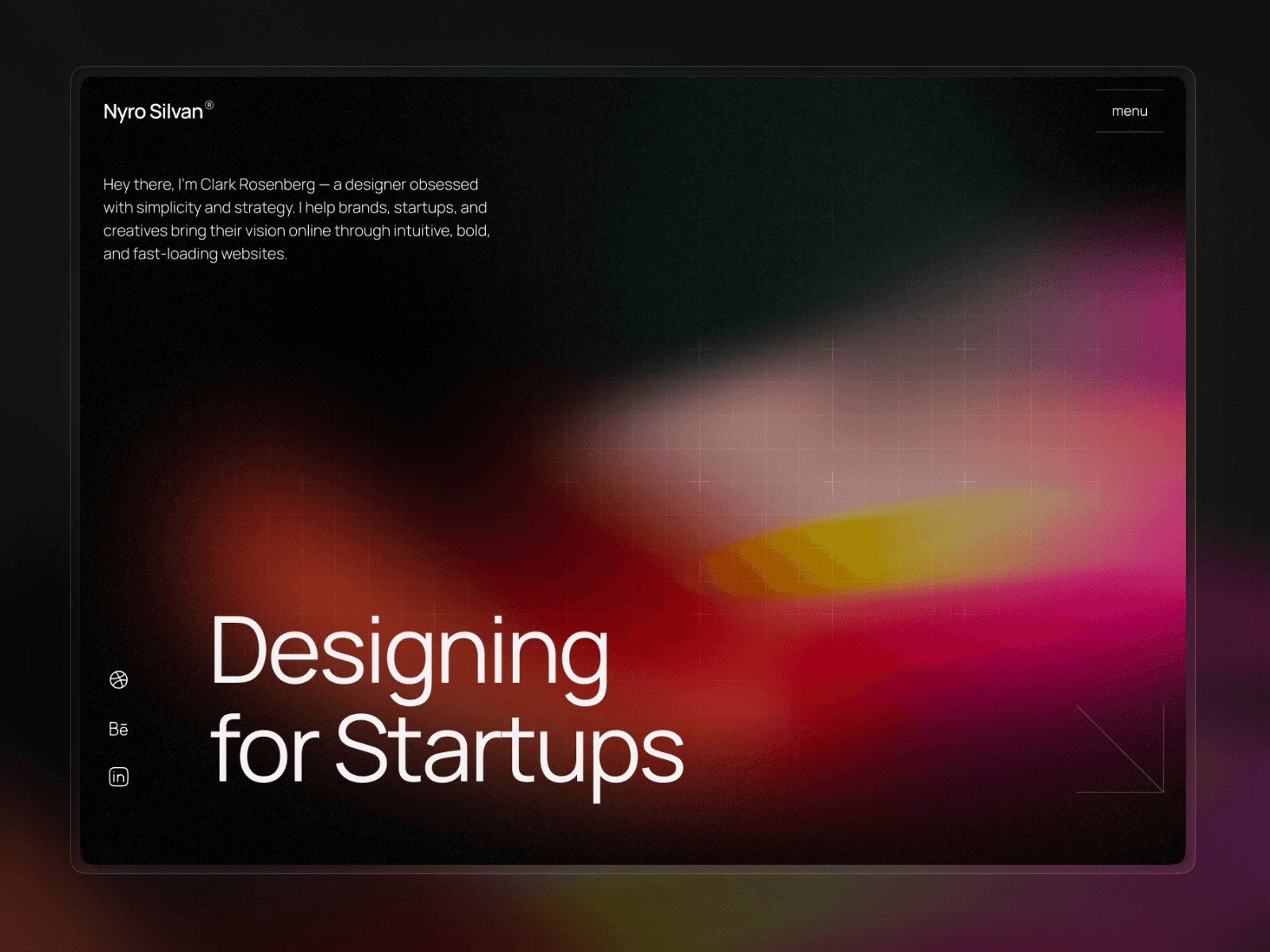
Nyro — Minimal Portfolio & Agency


{
Portfolio Template
}
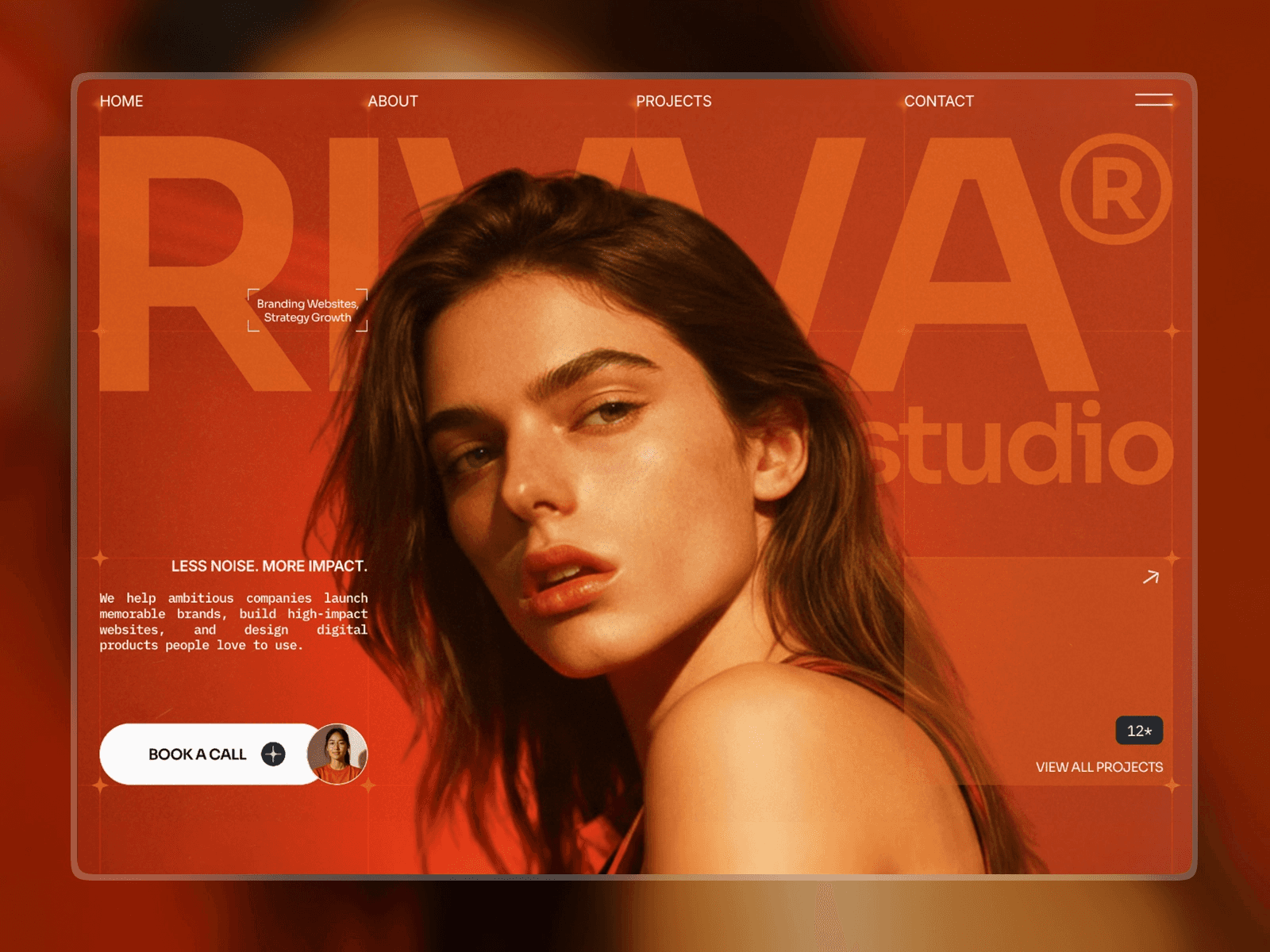
Riwa — Premium Portfolio Template


More templates coming soon!
If you need help with template customization,
don’t hesitate to contact us 💫
FAQ
Got Questions?
Got Questions?
01/
What happens after I buy a template?
Right after your purchase, you’ll get a remix link. Open it in your Framer account and you can start editing immediately. Everything is set up so you can jump in—no coding required!
02/
Do I need a Framer subscription to use the template?
To use and edit the template, you’ll need a Framer account. Framer offers a free plan, but If you want to connect a CMS or publish to your own domain, a paid plan is required. For most sites with a CMS, plans start around $15/month (billed annually) and give you access to advanced publishing and site management tools.
03/
Can I customize the template myself?
Yes! The template is built to be super easy to customize. You can change text, images, colors, and layouts without touching a single line of code.
04/
What if I can’t customize the template myself?
No problem! If you’d rather not deal with it, or if you run into something tricky, we offer template customization services. Just reach out, and we’ll handle it for you.
01/
What happens after I buy a template?
Right after your purchase, you’ll get a remix link. Open it in your Framer account and you can start editing immediately. Everything is set up so you can jump in—no coding required!
02/
Do I need a Framer subscription to use the template?
To use and edit the template, you’ll need a Framer account. Framer offers a free plan, but If you want to connect a CMS or publish to your own domain, a paid plan is required. For most sites with a CMS, plans start around $15/month (billed annually) and give you access to advanced publishing and site management tools.
03/
Can I customize the template myself?
Yes! The template is built to be super easy to customize. You can change text, images, colors, and layouts without touching a single line of code.
04/
What if I can’t customize the template myself?
No problem! If you’d rather not deal with it, or if you run into something tricky, we offer template customization services. Just reach out, and we’ll handle it for you.
01/
What happens after I buy a template?
Right after your purchase, you’ll get a remix link. Open it in your Framer account and you can start editing immediately. Everything is set up so you can jump in—no coding required!
02/
Do I need a Framer subscription to use the template?
To use and edit the template, you’ll need a Framer account. Framer offers a free plan, but If you want to connect a CMS or publish to your own domain, a paid plan is required. For most sites with a CMS, plans start around $15/month (billed annually) and give you access to advanced publishing and site management tools.
03/
Can I customize the template myself?
Yes! The template is built to be super easy to customize. You can change text, images, colors, and layouts without touching a single line of code.
04/
What if I can’t customize the template myself?
No problem! If you’d rather not deal with it, or if you run into something tricky, we offer template customization services. Just reach out, and we’ll handle it for you.